


Streamline
Productivity App for Remote Teams
Role: Product Designer (Conceptual Case Study)
Overview
Remote teams often struggle with staying organized and maintaining clear communication.
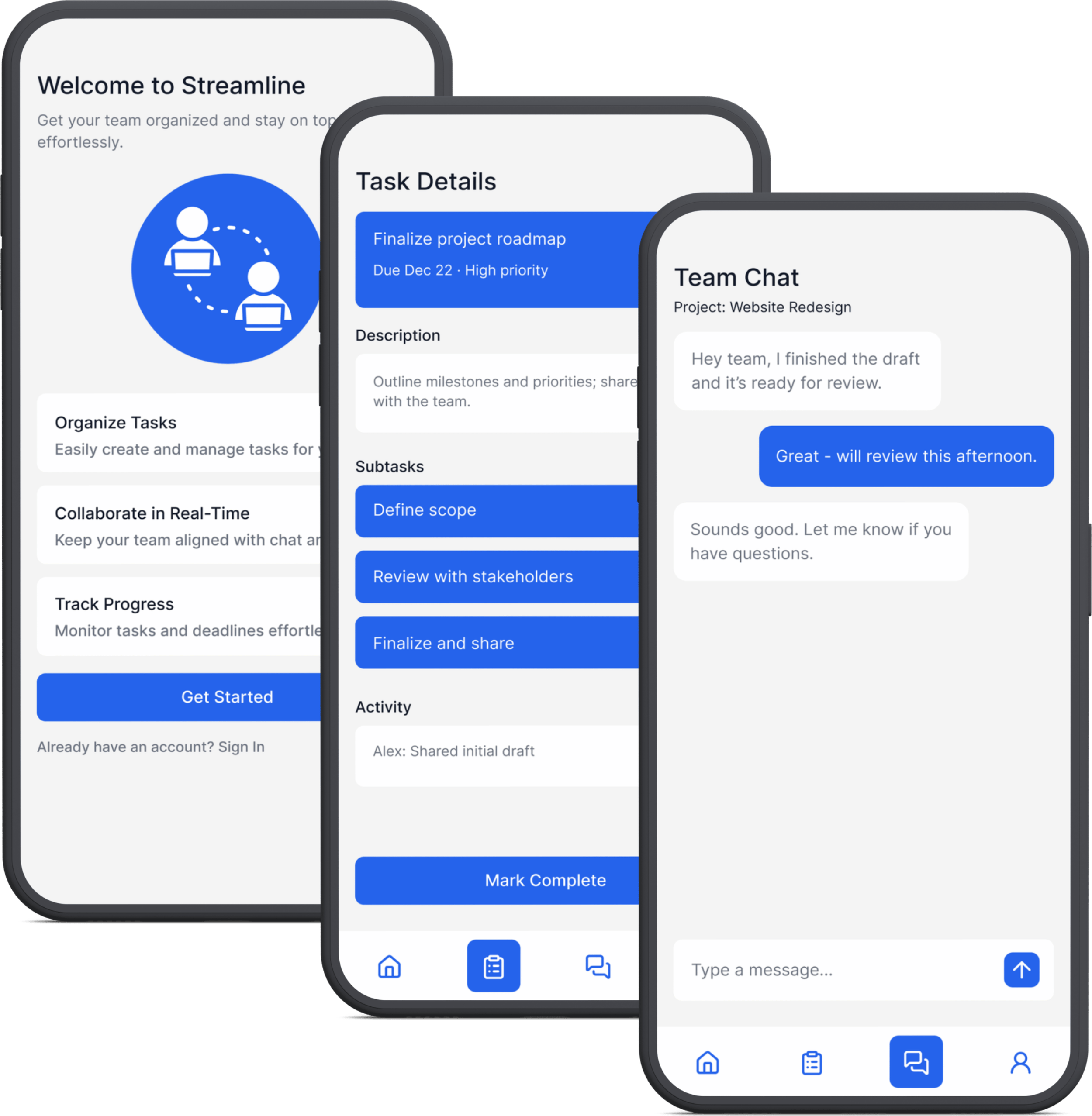
Streamline is a conceptual productivity app designed to centralize tasks, messages, and team updates into one interface.
The goal was to reduce friction throughout the user journey process, simplify workflows, and create a clean, adaptable experience across multiple devices.
Problem
Team members lose track of tasks and priorities in remote workflows.
Switching between multiple apps slows productivity.
Existing tools often overwhelm users with overly- excessive features.
1. Research
Reviewed competitor tools to understand where users struggled most.
2. Personas & Journey Mapping
Mapped two core user types, which revealed that first-time users needed guidance more than advanced customization.
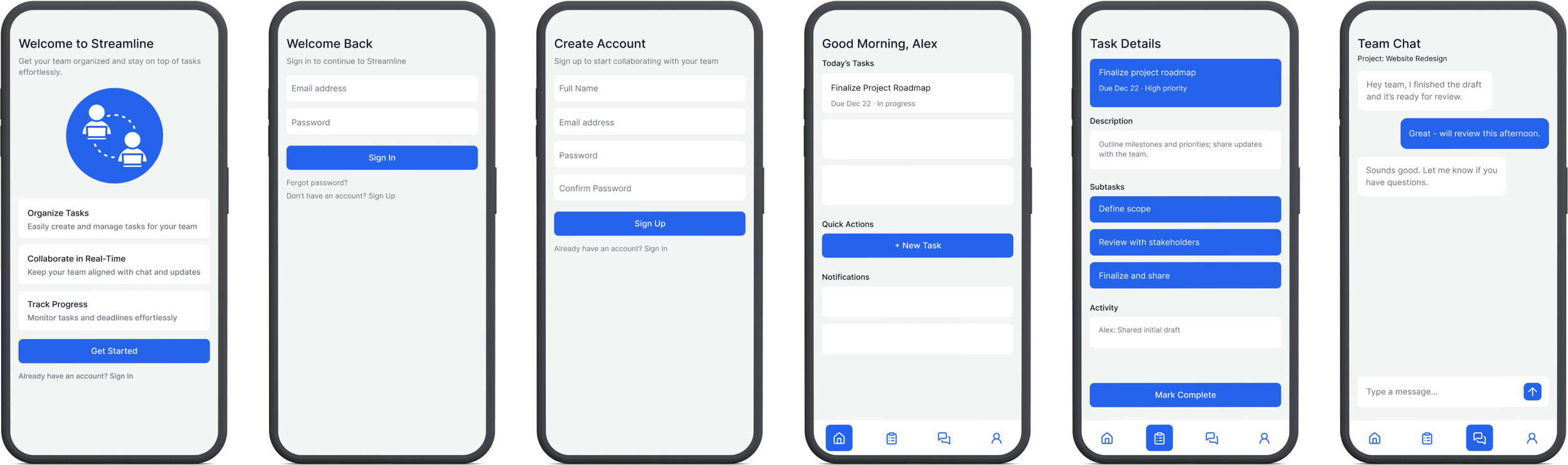
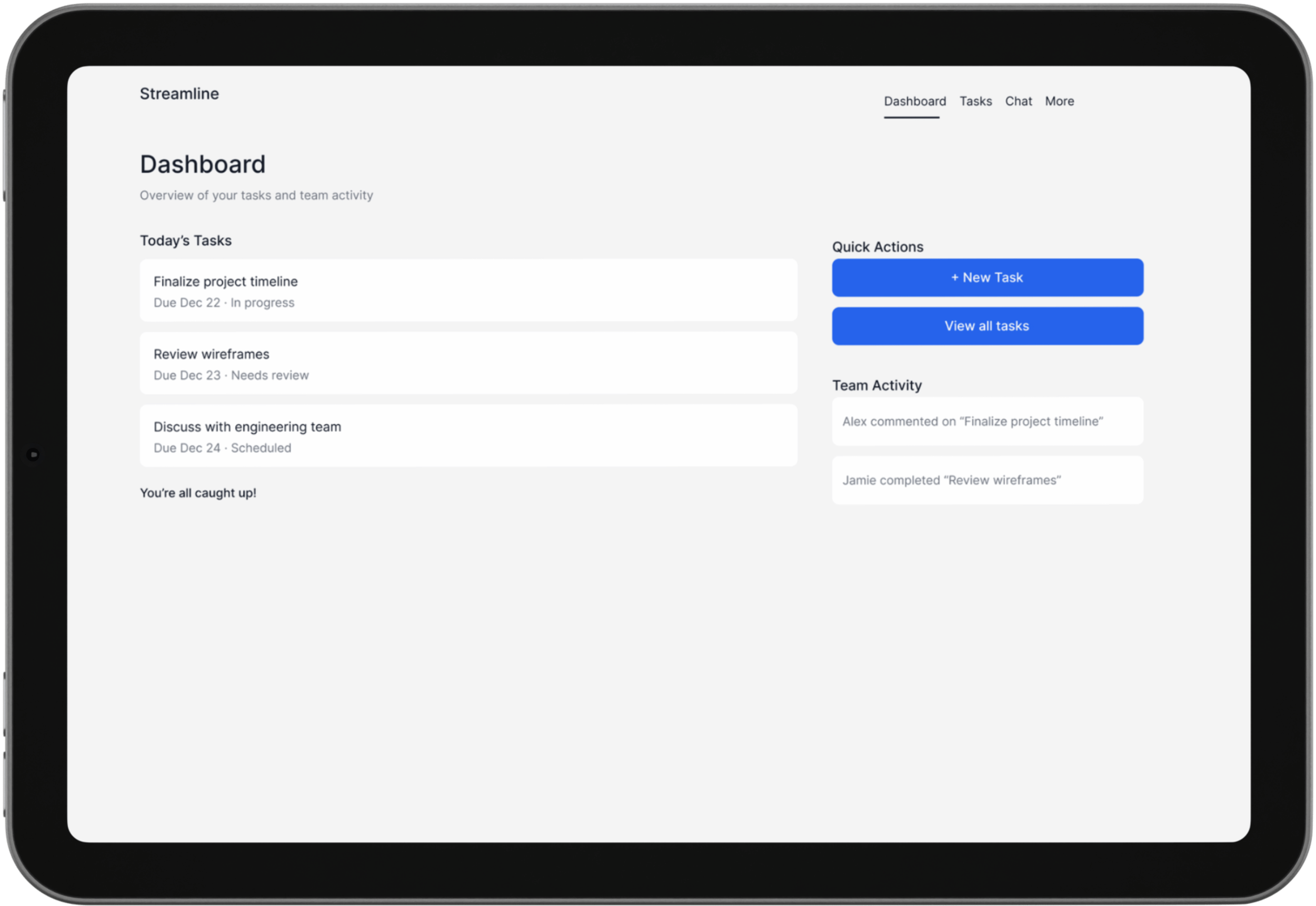
4. High-Fidelity Mockups
Finalized and polished layouts and typography, focusing on clarity and consistency across screens.
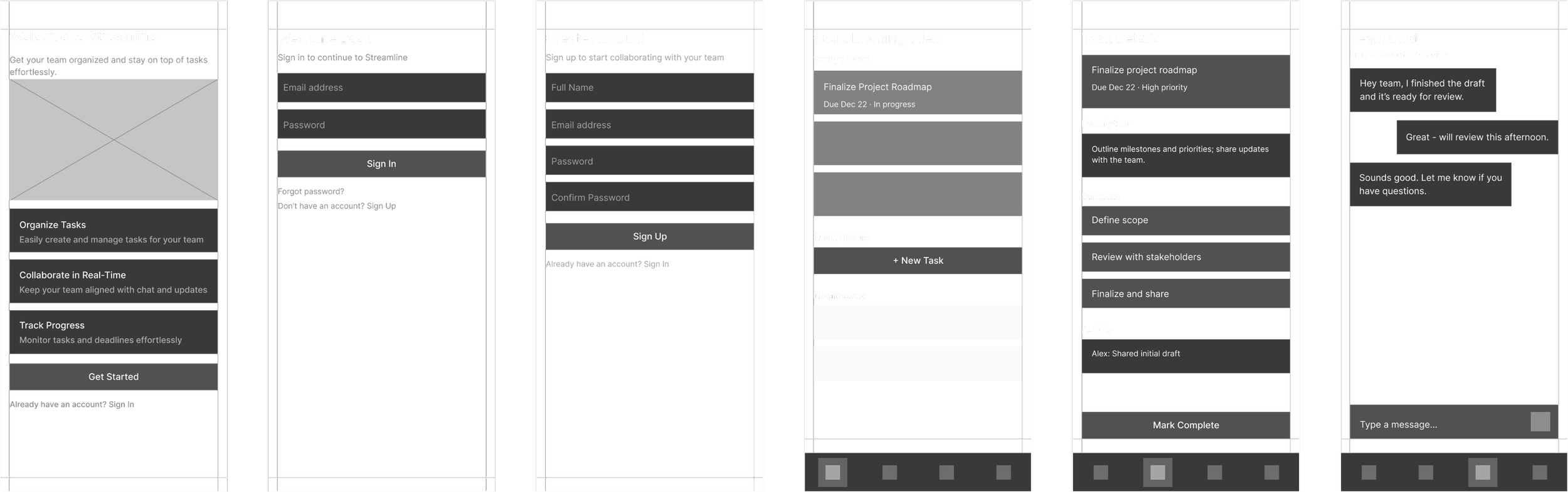
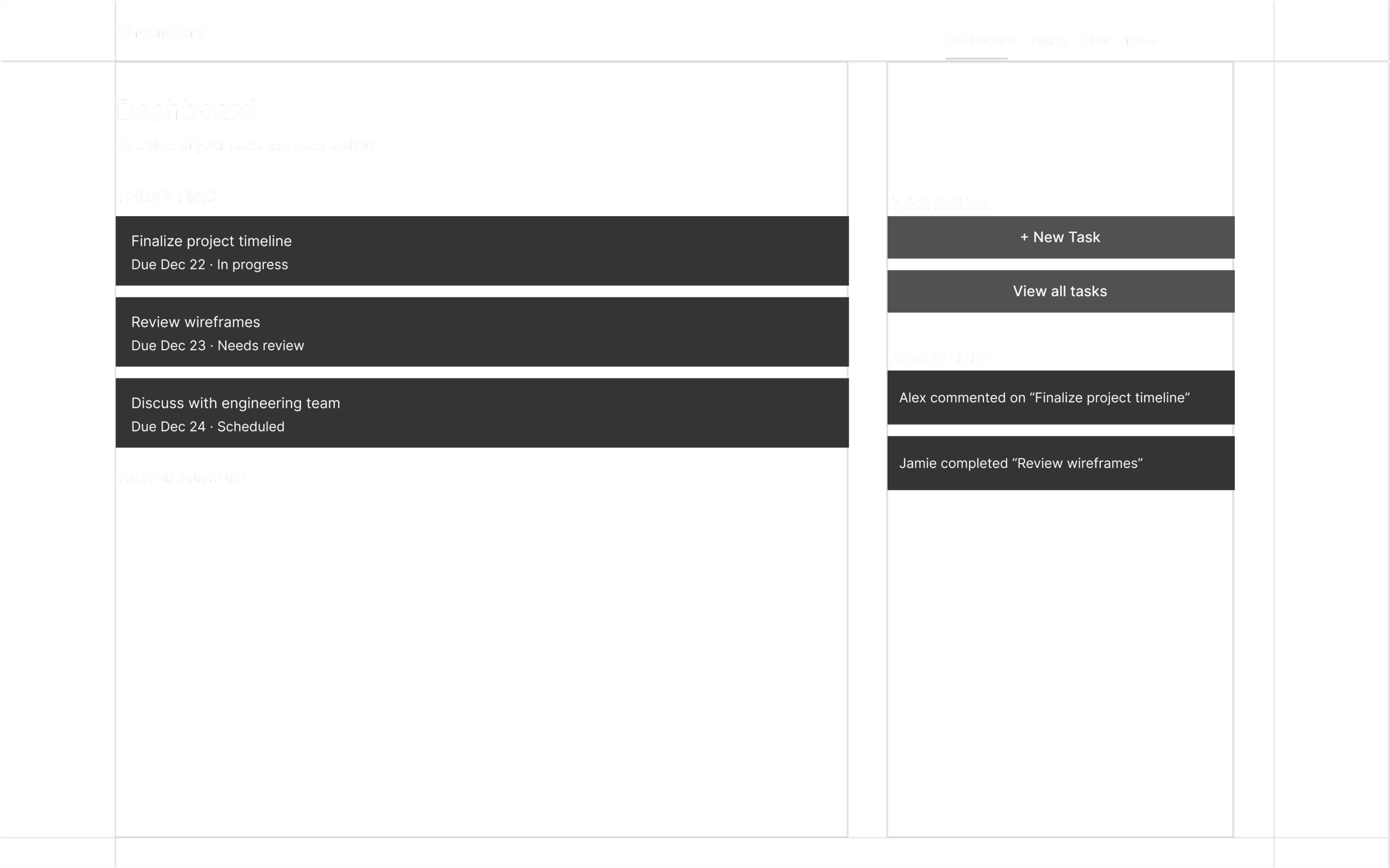
3. Wireframing & Iteration
Tested multiple navigation structures in low-fidelity wireframes, which resulted in simplifying the flow to reduce decision fatigue in users.
5. Prototype
Built an interactive prototype to demonstrate flow and show usability.
Approach Overview
1. Research
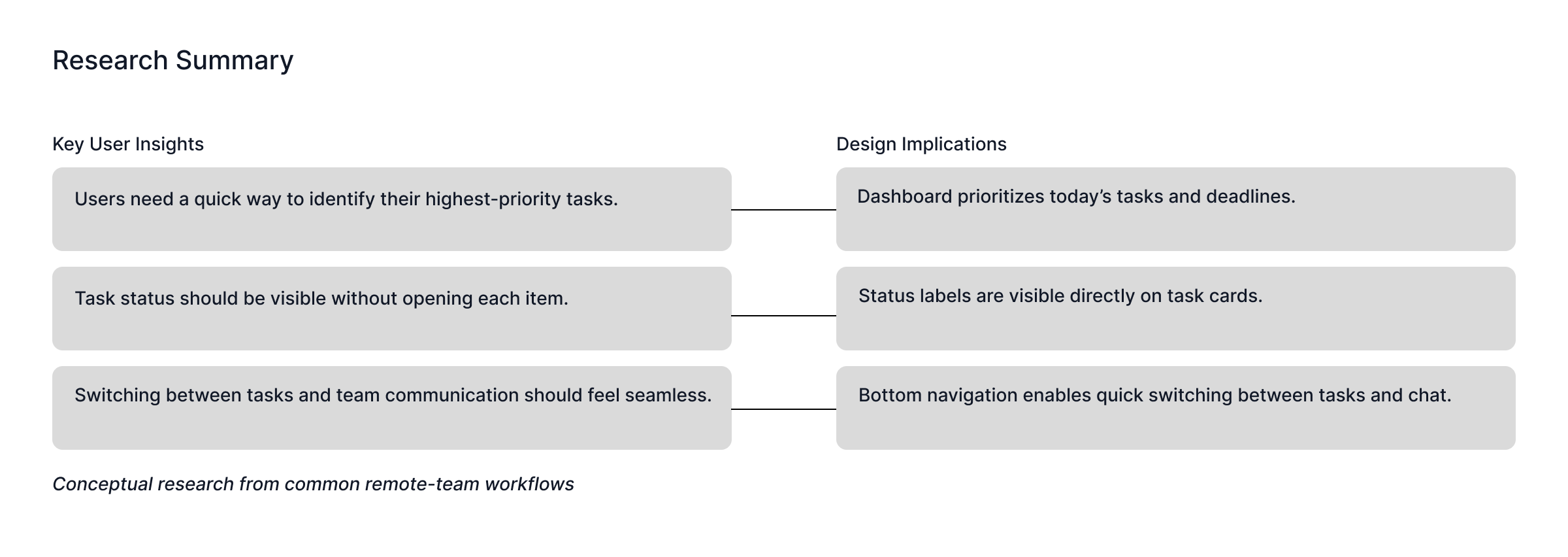
Conducted conceptual research through productivity trend and case study analysis to better understand common pain points for remote teams.
Research findings guided features and overall app design structure.
1. Research
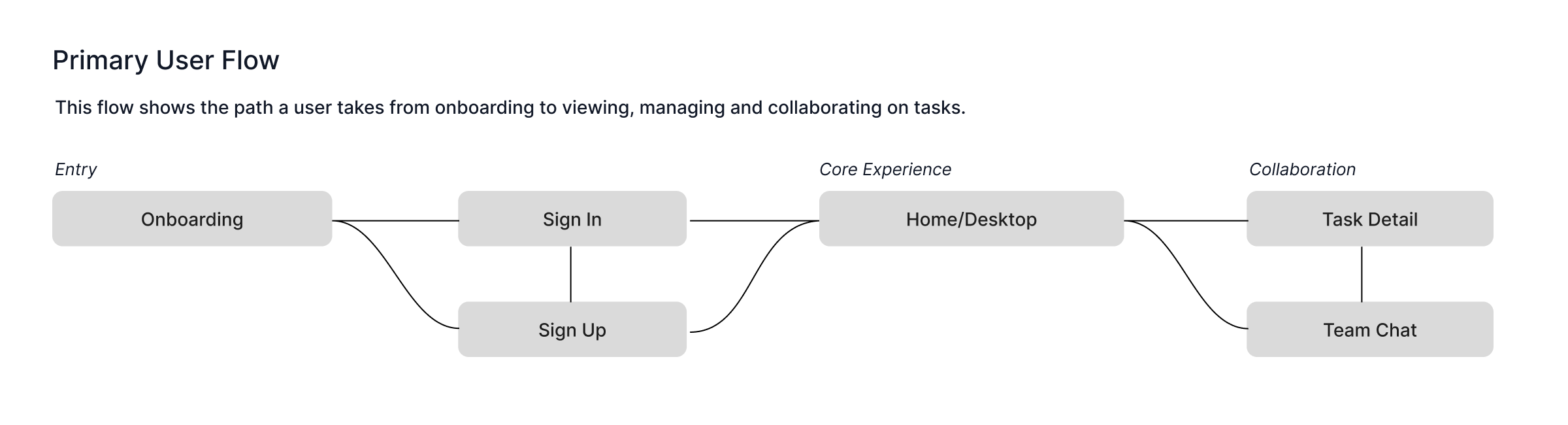
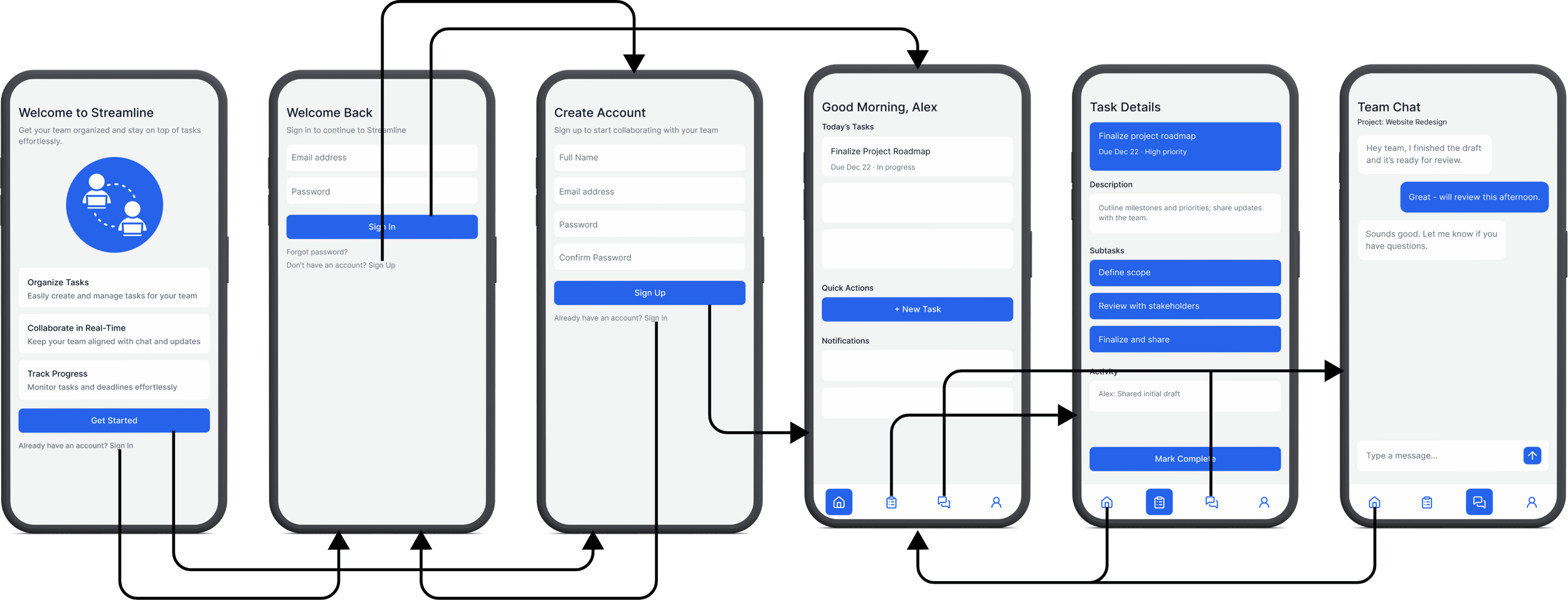
The primary user flow maps the journey from onboarding through task management and team collaboration, helping clarify screen relationships and key interaction points across the product.
3. Wireframing & Iteration
Developed multiple low-fidelity wireframes to explore navigation and layout options.
Iterated to prioritize simplicity, clarity, and intuitive flow.
4. High-Fidelity Mockups
Translated wireframes into polished, high-fidelity designs.
Focused on consistent typography, color hierarchy, and responsive layouts for both desktop and mobile screens.
5. Prototype
Created an interactive prototype to demonstrate navigation, task creation, and collaboration flows.
Clickable screens and smooth transitions highlight the flow and usability of the design.
Design Highlights
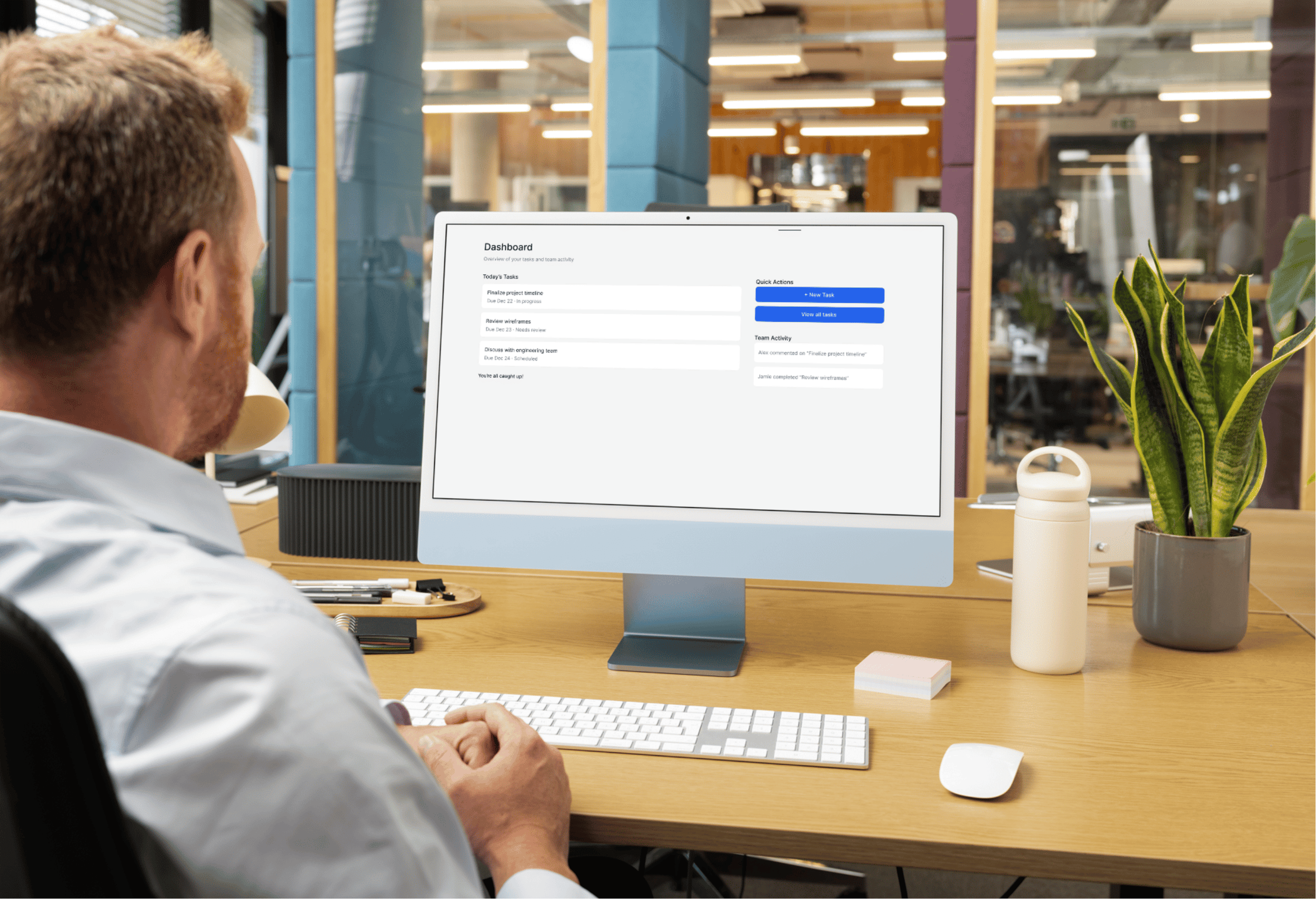
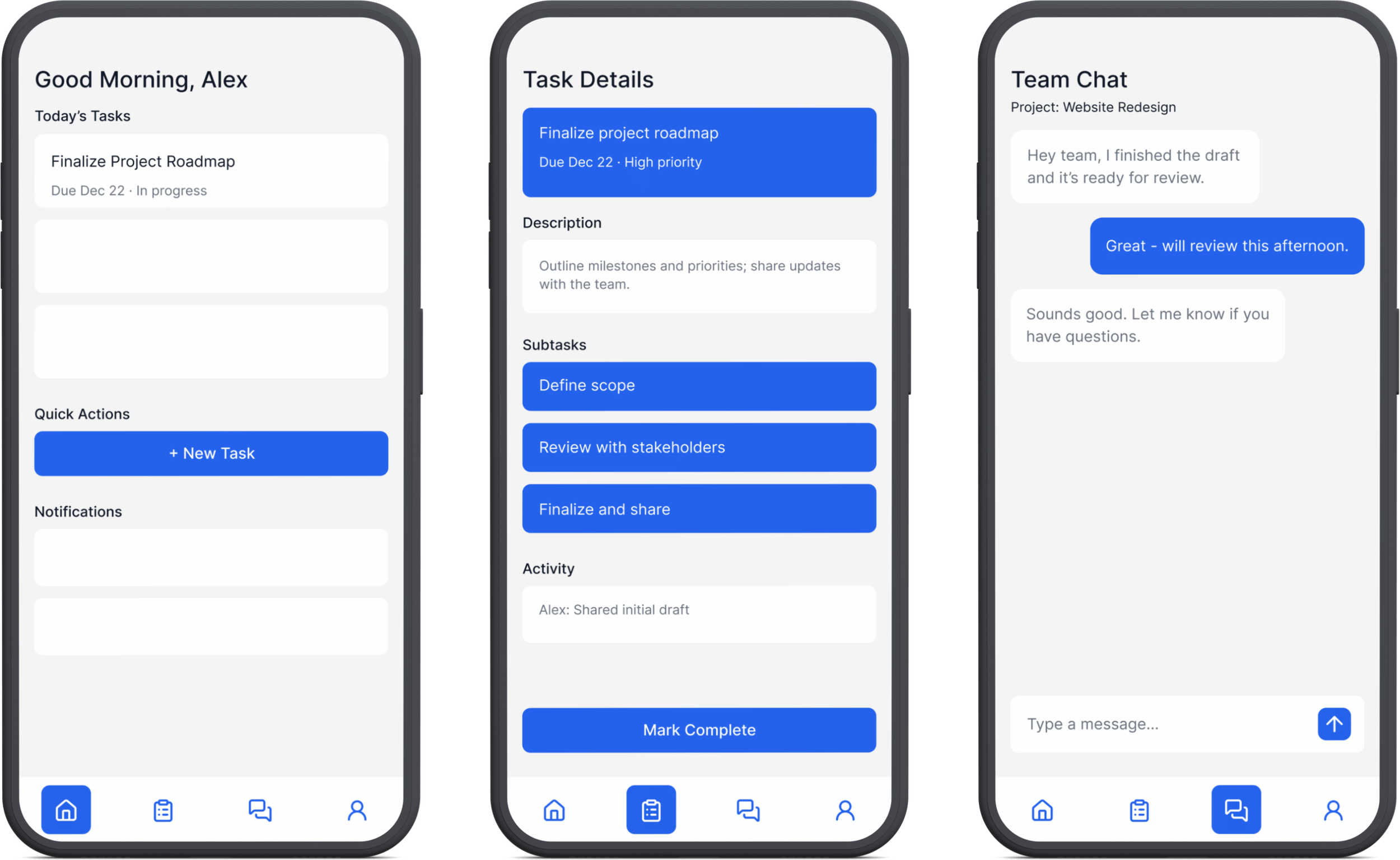
Clear task hierarchy: Tasks are prioritized by due date and status to support quick scanning.
Consistent component system: Cards, buttons, and labels share spacing and guidelines across screens to maintain visual cohesion.
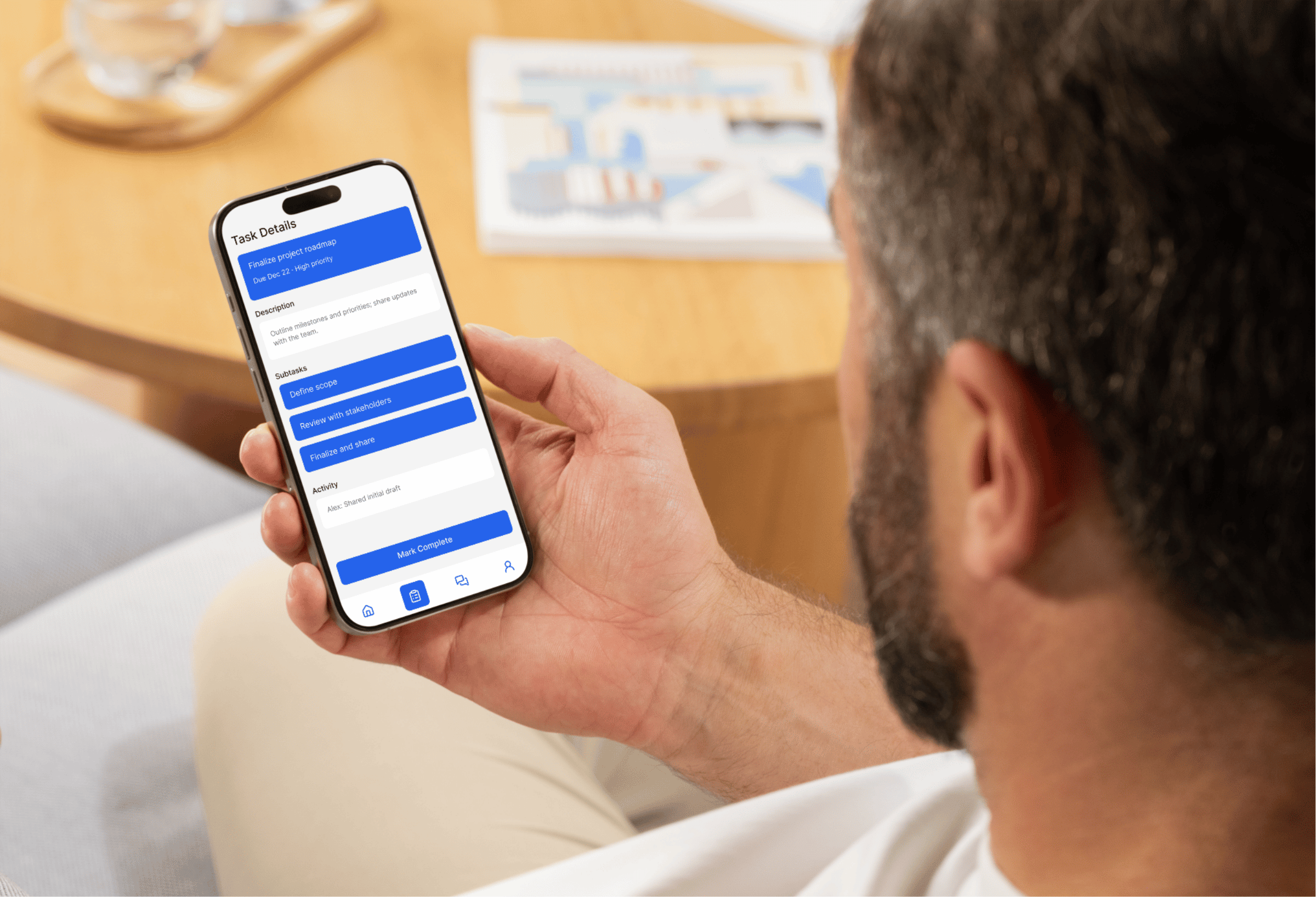
Responsive Layout: Optimized for both mobile and desktop layouts. Maintains adaptability, usability and clarity across platforms.
Simplified task management by consolidating communication and tasks in one interface.
Created a tested, cohesive visual system clearly demonstrating hierarchy, clarity, and usability.
Produced a prototype that clearly communicates user flow.
Outcome
Iteration and exploration are crucial, even in conceptual work.
Intuitive interfaces balance usability with visual design and clarity.
Conceptual projects can effectively show UX process, problem-solving, and design execution.